Okay, But Actually… Encryption at Rest Does Not Fix a Bad Application

This post comes from a reply Pedro received after saying that most six- or seven-figure businesses do not need their own platform team.
In many cases, the software they need can be built using established services such as Supabase for the database and user accounts, Cloudflare for protection and performance, Stripe for payments and a separate service for email.
Someone responded by warning him about business liability, compliance and cybersecurity, then asked:
“Are you storing plain text or encrypted at rest with envelope encryption? What’s the blast radius?”
If you understood every word of that, congratulations.
If you did not, that is part of the problem.
In the language I would actually use with a client, because I want them to understand me rather than sit there wondering whether they accidentally booked a cybersecurity webinar, the questions are roughly:
- Is the stored information locked so that somebody cannot simply steal the files and read them?
- Are the keys for unlocking that information also protected?
- If somebody gets into one part of the system, how much could they reach?
Fair questions. Now the client can actually answer instead of nodding along and hoping there is no quiz at the end.
Unfortunately, nobody had explained what the hypothetical application stored, who used it or what anybody could access.
We had not established whether this database contained private financial documents or a list of people who requested a brochure.
But we were already discussing the number of locks on the safe.
Before anybody points out that parts of this sound familiar: yes. We have already talked about encrypted connections, Supabase and bad permissions in previous posts.
This time, I want to explain what all this encryption vocabulary means and why it cannot tell us whether an entire application is safe.
Encryption at rest means the stored files are locked
“Data at rest” means information while it is sitting somewhere.
That could be information stored on a hard drive, inside a database backup or in a copy of the database created for recovery.
Encryption at rest turns those stored files into unreadable data unless the system has the correct key.
Imagine somebody steals a hard drive from a server. If the drive is encrypted properly, connecting it to another computer should not reveal a convenient folder full of customer records.
The same applies if somebody obtains a backup without permission. Without the key, the contents should look like scrambled nonsense.
That protects against stolen storage, copied backups and somebody getting hold of the raw database files.
The application still needs to read its own information
Suppose an employee signs in and opens a customer record.
The application needs to show the customer’s name, contact details and project information. To do that, the system reads the encrypted storage and turns the information back into something useful.
An application that can never read its own database would be extremely safe, but its main feature would be refusing to do anything.
Then somebody steals an administrator’s login, a developer publishes a powerful access key, or the permissions let one customer see another’s records.
In those situations, the database may respond to the request normally. It does not know the administrator’s password was stolen or that the developer made a mistake. It sees a request carrying valid access and returns the information.
The storage can be properly encrypted while the application hands the data to the wrong person.
“Plain text or encrypted?” is not a useful choice by itself
The comment presents “plain text” and “encrypted” as though the developer picks one option for the entire system.
That is not how most applications work.
A customer’s name might be stored in a normal database field because the application needs to display it, search for it and add it to an invoice.
An authorised application can read that name.
At the same time, the actual files on the database provider’s hard drives can be encrypted. Someone who steals a copy of those files cannot necessarily read them.
The value is readable to the running application, but the stored files are protected.
Both things can be true.
It is also possible to add another layer of encryption to particular pieces of information before saving them. This is sometimes called field-level or application-level encryption.
In normal language, the information gets its own lock before it is placed inside the already locked storage.
That can make sense for especially sensitive information, but somebody still has to manage the key.
The application also needs to unlock the information when an authorised user needs it. That can make searching, sorting, backups and recovery more complicated.
Extra encryption may be the correct decision. It may also be a complicated answer to a problem the application does not have.
We cannot know until somebody tells us what is being stored.
Supabase is not sending everything naked across the internet
Since Supabase was mentioned in the conversation, let’s look at what it actually does.
Supabase encrypts the database files and backups it stores. It also protects the normal connection between a website and its services. Simply using Supabase does not mean customer details are travelling openly across the internet. Supabase explains those protections here.
There is another way for developers to connect straight to the database. That connection needs to be set up securely, and Supabase gives developers a way to require encryption for it. Its connection guide explains how.
What worries me more is the boring stuff: a site that lets one customer see another customer’s records, or a developer who puts a powerful private key in the website’s public code. Supabase warns against exposing those keys.
Both can happen in vibe-coded apps. I see them less with newer frontier models, but I still check the permissions and the keys before anything goes live.
That key would be like taping the master key to the front door. The database files could be properly encrypted and the site would still be handing out access.
Envelope encryption is a lock for the key
Now we can deal with the term that made the original question sound so dramatic.
Envelope encryption means the data is locked with one key, and that key is then locked using another key stored somewhere else.
Imagine placing a document inside a locked box.
Instead of leaving the box key beside it, you put that key inside a second locked box stored in a different place.
If somebody steals the first box, they still do not have what they need to open it.
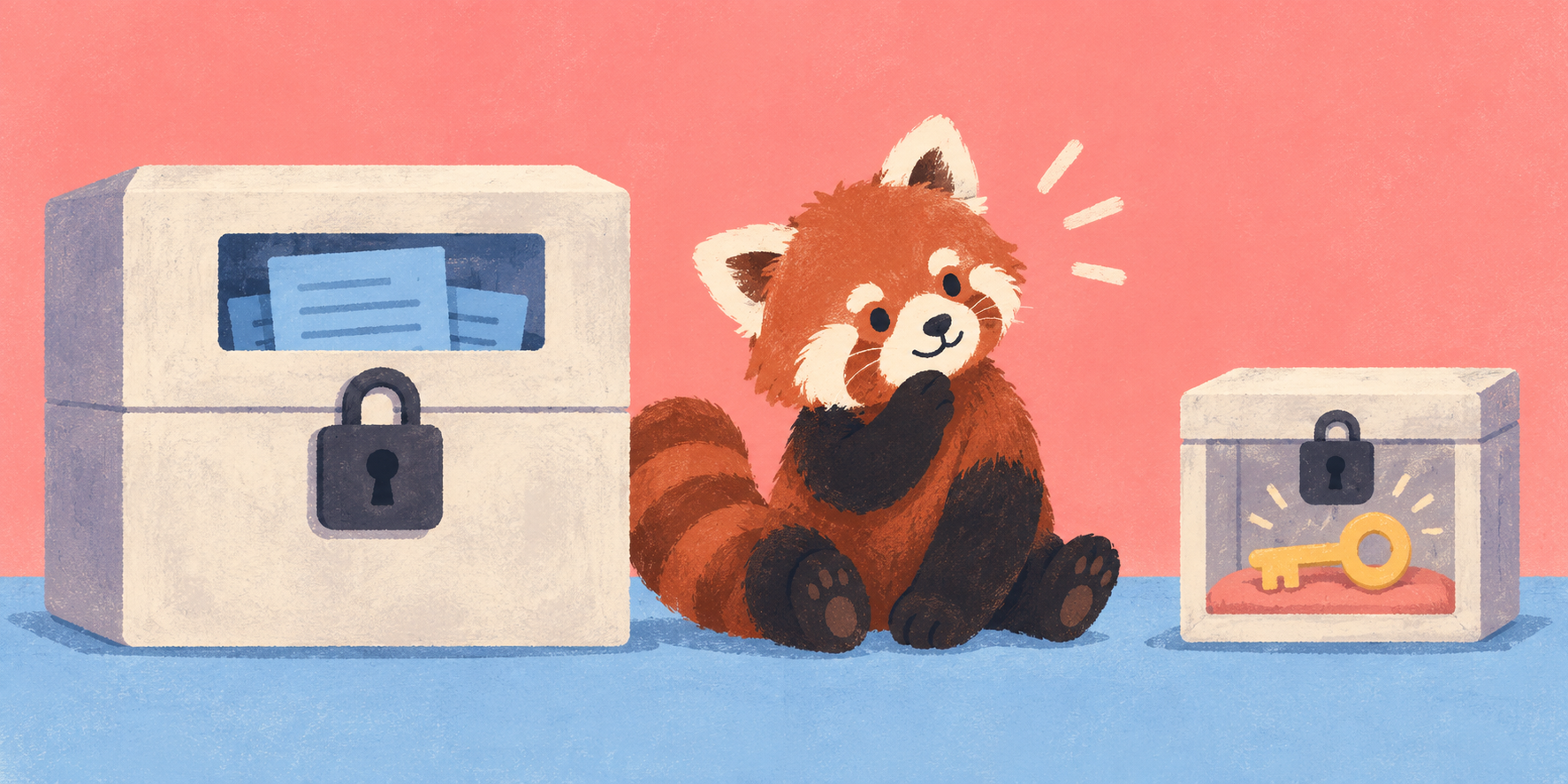
In a real system, one key encrypts the information. Another key protects the first key. A dedicated service usually controls that second key.
The technical names are Data Encryption Key and Key Encryption Key.
DEK and KEK, if the conversation was still suffering from a dangerous shortage of acronyms.
This approach can make it easier to control and replace keys. It can also protect the data when an attacker obtains the encrypted files but does not have access to the separate key system.
OWASP, which publishes security guidance widely used by developers, explains the same approach in its cryptographic storage guidance.
Its guidance also makes an important point: the separation has to be real.
If an attacker gains control of a system that can access the data and request all the keys needed to unlock it, the extra vocabulary has not saved the day.
Envelope encryption is useful for the problems it is designed to solve. Some applications absolutely need it.
It is not something we add to every customer name and appointment time because somebody mentioned it in a Facebook comment.
Passwords are handled differently
We are back to something I apparently need to say in every post: the correct protection depends on what the information is.
Passwords are a special case because the application does not need to know them.
It only needs to check whether the password entered during login matches the one the person originally chose.
Instead of storing the password, the login system turns it into a one-way scrambled value called a hash.
When the person signs in, it scrambles the password they just entered using the same process and compares the result.
The system also adds a random value called a salt. This helps prevent two people who use the same password from having identical stored results.
Yes, we are seasoning the passwords now. I didn’t name it.
The point is that stealing the user database should not reveal a readable list of everybody’s passwords.
This is also why a proper password-reset process lets someone create a new password instead of sending them their old one.
If a company emails you your existing password, ask why they could read it in the first place.
We use Supabase Auth for this work. I do not personally invent a new password-storage system every time we build an application, because I have hobbies.
Other information needs different decisions
Payment card details usually should not be stored by the application at all.
That is one reason we use Stripe. Stripe handles the payment information, while our application receives the result it needs, such as whether the payment succeeded.
Then there are the private credentials an app uses to talk to other services. I usually keep those as Cloudflare secrets, so the code running there can use them without putting them in the public website. Sometimes I use Supabase Vault instead. Vault encrypts the secrets stored in it; it does not change how every other database field is stored.
A customer’s name, a private financial document, a password and a payment card number are not the same kind of information.
We do not need to protect all of them in exactly the same way.
For some information, the provider’s encryption and properly configured permissions may be appropriate.
Some information may need its own additional encryption.
Some information should be handled by a specialist service.
Some information should not be collected at all.
The decision starts with what the application stores and why. Starting with the fanciest encryption term somebody can remember is how we end up building elaborate protection around information the business never needed to collect.
What encryption at rest cannot fix
Encryption at rest will not stop every logged-in user from reading a database table if the permissions allow it.
It will not add multi-factor authentication to an administrator’s account.
It will not hide a private access key that a developer placed in public website code.
It will not remove access from a former employee.
It will not delete personal information copied into logs.
It will not protect a customer list after somebody exports it into an unprotected spreadsheet.
It will not repair a broken password-reset process.
It will not stop one customer from changing a number in the website address and viewing another customer’s account if the application never checks who owns the record.
It will not prevent somebody from copying real customer data into a test project.
In all of those examples, the application may be reading the encrypted database through a connection that the database considers valid.
The storage is locked. The application has the key. The problem is that the application is giving information to somebody who should not receive it.
This is why OWASP recommends using access controls alongside encryption.
Apparently even the people who write the serious security guidance do not believe the word “encryption” ends the conversation.
“Blast radius” sounds worse than its meaning
The other phrase in the comment was “blast radius,” which sounds like we should evacuate the office. It means how far the damage from one problem can spread.
There is a real example in Portugal this week. On 8 October 2026, Lusa reported that attackers obtained non-classified information connected to SIRP and other organisations. SIRP oversees Portugal’s intelligence agencies. It said the break-in happened on a server belonging to a contractor that built its public websites. The server was used for development and testing; SIRP said those public websites held no classified information. TugaTech reported those details from SIRP’s statement to Lusa. Both reports are in Portuguese.
That is the blast radius here: one contractor’s server was breached, and information connected to several organisations was exposed. The incident made headlines because of SIRP, but the contractor also built websites for other clients. If a supplier keeps several clients’ material on one server, a break-in there can reach beyond the client whose name is in the headline.
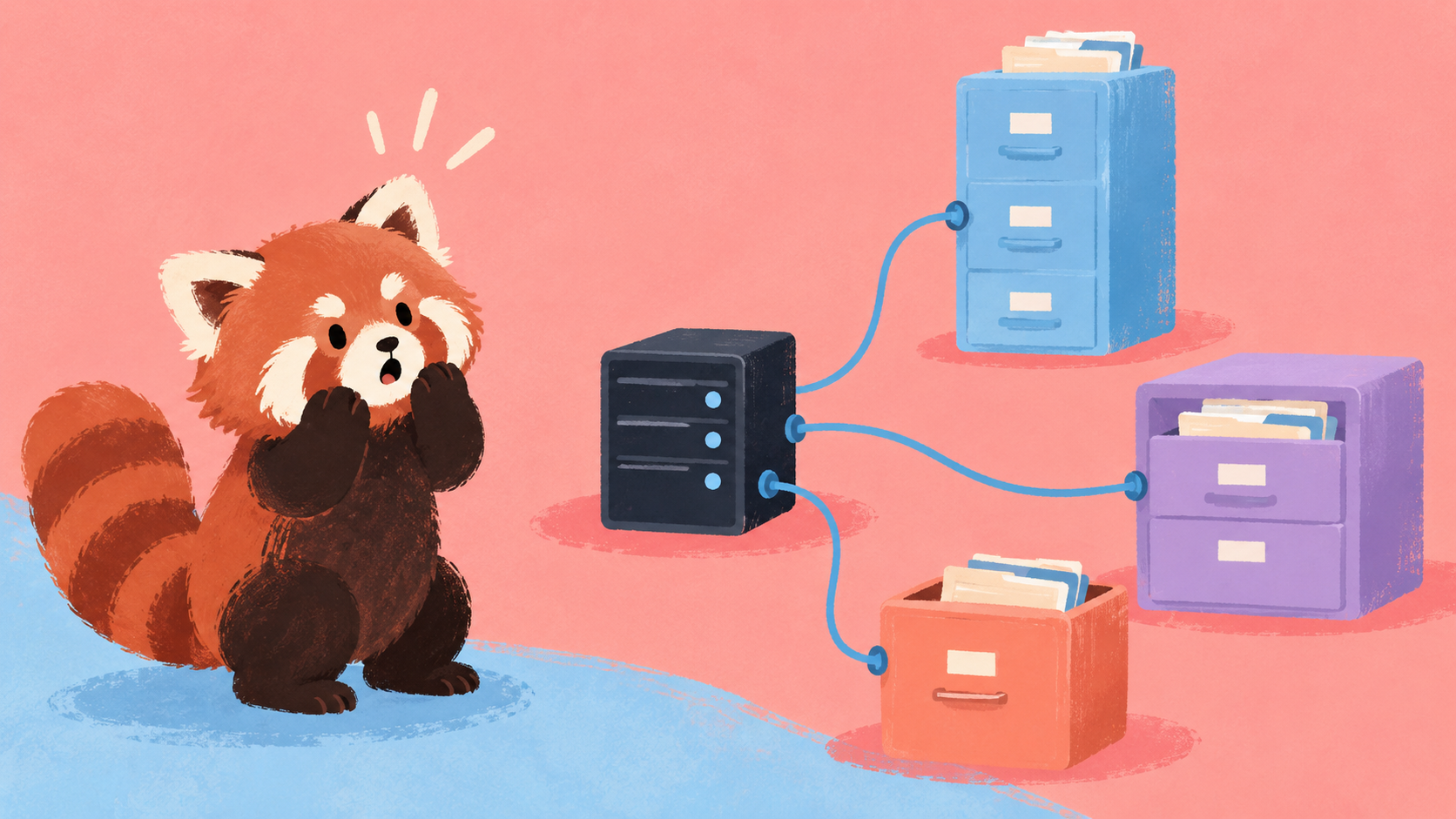
We do not know the full extent of this incident or how the attackers got in. There is no basis here to blame a particular encryption setup or a leaked key. What I want to know is how much material was on that one server and whether the access reached anything else.
For our own applications, that means checking who can access each customer’s information, what a powerful key can open, and what we leave in test systems. We also need records of important activity, so that if something does happen, we can find out what was touched.
Encryption is part of the answer
Encryption at rest protects stored files and backups.
Encryption in transit protects information while it moves between the application and another service.
Extra encryption can provide more protection for particularly sensitive information.
We still need to check whether the application has sensible permissions, secure user accounts, protected private keys and proper separation between customers.
It does not tell us whether the business should be collecting the information in the first place.
Asking about envelope encryption can be reasonable once we know what the application does, what it stores and who should have access.
Asking it before learning any of that is mostly a way to make the conversation sound extremely advanced while avoiding the information needed to give a useful answer.