
AI stack + project scope
ready
Beyond Vibe Coding
Build and publish your sales page in five days.
Bring one service, workshop, or product you’re ready to sell. Over five days, you’ll use AI to write and build its sales page, connect the checkout, booking, or enquiry link you already have, and test everything on your phone.
Black Friday offer: €5 total
Join the waitlist and I’ll email you when enrolment opens.
Hey, I’m Ana, and you’re going tolearn how to use AIin a way you’ve never learned before.That’s my guarantee… Oh! And you’ll love it too!✦
03 / THE 5-DAY PLAN
By day five, your sales page is live.Copy the link. Send it to customers.
Each day gets one part done: what the page says, the AI build, your checkout, booking, or enquiry link, and a final phone check before you publish.
- DAY01
Research your offer
Find the questions buyers ask. You’ll leave with one clear sheet: who it’s for, what they get, and what to click.

- DAY02
Write the page
Write the headline, offer details, button, and answer to the biggest objection. You’ll have a draft ready to build.

- DAY03
Build and style it
Turn your draft into a page, then fix the spacing and generic AI look. You’ll have a preview that feels like yours.

- DAY04
Make the button work
Connect your checkout, booking, or enquiry link. You’ll test it on your phone and make sure it goes to the right place.

- DAY05
Test and publish
Test what happens after the click and see how an API passes information on. You’ll publish and check the live page while signed out.

Each day comes with a quick video, a live build to follow and share your work in, plus prompt docs you can use again later.
You bring the offer. I’ll guide you through the build.
03 / BUILD SEQUENCE
5 STATES · 1 SHIPPED RESULTFrom tool choice
to live build.
Context + constraints
readySales page + action
buildInputs + useful result
buildTest + publish
liveFINAL OUTPUTa sales page, a working micro-app, and a process you can repeat.
03 / FIVE DAYS
Make one thing
more real each day.
Choose the tools.
Decide what fits your work, not somebody else’s stack.
Write the instructions.
Give AI the context only you know.
Build the page.
Turn your offer into a working journey.
Build the feature.
Make one small tool genuinely useful.
Ship the version.
Test what matters and put it in the world.
Okay… AI built it.
But now you’re afraid one tiny change will break the whole thing.
A copied prompt can get you to a first draft. Then you try to fix the mobile layout, connect the button to your booking page, or change one section. And suddenly, you’re guessing again.
You don’t need a bigger prompt library. You need to understand what changed and know what to try next.

- 01Prompt
- 02Hope
- 03Tweak
- 04Repeat
01 / FAILURE MODE
STATUS: LOOP DETECTEDYour idea isn’t broken.
Your process has a missing step.
01copy a prompt
→02get a result
→03hit a problem
→04start over
The missing skill is not “better vibes.” It’s knowing how to define the result, test what AI made, and make one deliberate improvement.
01 / THE REAL PROBLEM
AI gave you
a first draft.
Not a way forward.
copied promptscreate output≠builder thinkingcreates direction
When the tutorial ends, you still need to make decisions: what to change, what to test, and whether the result actually works. That is the part this challenge teaches.
You didn’t fail to build.
The tutorial just disappeared the moment you needed real help.
Most AI demos make the whole thing look effortless. They don’t show you the headline sitting on top of the button on mobile or the booking link opening the wrong calendar. And they definitely don’t show the moment your page stops matching theirs.
You don’t need someone else telling you to “just follow the steps.” In the live build, I’ll show you how I work out what happened, fix one thing at a time, and test the whole page the way a buyer would.
You saved 400 prompts.
Not one of them knows your business.


Ask AI to “write me a sales page” and it will fill the screen. It still doesn’t know who you’re selling to, what they get, or what they need to know before they take the next step.
On Day 1, we’ll put those answers on one offer sheet. On Day 2, you’ll give it to AI and draft the page for the offer you’re ready to sell.
Build the sales page.
Keep the tools you already use.
Already have a checkout, booking page, or enquiry form? Your sales page can send people straight there. If you need a simple way to take payments, I’ll show you how to create a Stripe Payment Link.
On Day 4, we’ll connect your button. On Day 5, you’ll test the flow as a customer and make sure the right confirmation, access, or next step arrives. Then you’ll publish and check the live link while signed out.
You changed one thing.
Now there’s a red error message

You’ll know where to start.
When a page breaks, you’ll have a process for working out what changed and choosing what to fix first.
You’ll know what to ask AI.
I’ll show you how to give AI the useful details and turn its answer into a focused fix you can test.
It looks finished.
Now check that it’s
ready to share.
Test it like a customer.
On Day 5, you’ll open the live page on your phone while signed out, read it with fresh eyes, and tap the main button.
Four green lights before you share
- The offer is clear
- The page is easy to read on a phone
- The button goes to the right place
- The customer gets the next step you promised
Four green lights? It’s ready to share.
You came to build a sales page. How did that turn into six AI subscriptions?
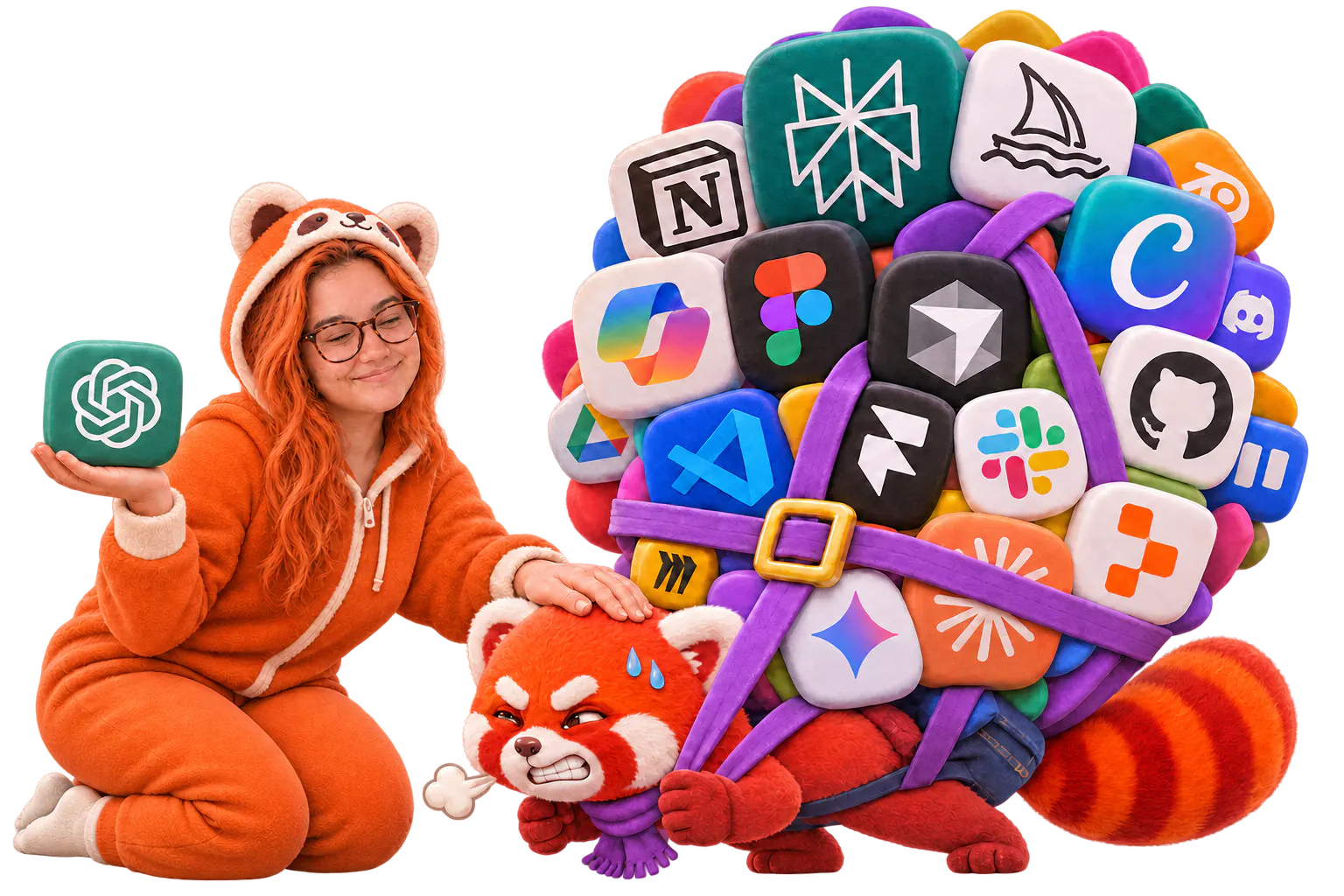
Start with what you already use.
- Use the AI tool you already know
- Build one page for one offer
- Connect the checkout, booking, or enquiry link you already have
Keep the build small.
- Write only what this page needs
- Add one clear main button
- Test the page on your phone
- Publish the first useful version
Bring one offer you’re ready to sell.
Build your sales page in five days.
Finish before Black Friday with the page live and the main button working.
€5 total
Black Friday offer. Enrolment opens before Black Friday.
Join the waitlist and I’ll email you when it opens.

WHY YOU CAN TRUST ME
I was writing code long before AI made it trendy.
I’ve spent more than a decade writing code, including as a programmer for one of the world’s leading AAA game development companies. Since then, I’ve built dozens of web and mobile apps released through the App Store and Google Play.
I know what happens between the polished demo and the thing that actually works. In this challenge, I’ll show you how to build a sales page you understand and fix it when something goes wrong.
10+ YEARS CODING✦
AAA GAME PROGRAMMER✦
DOZENS OF WEB APPS✦
DOZENS OF MOBILE APPS✦
APP STORE + GOOGLE PLAY✦
AI-POWERED DEVELOPMENT✦
Give one offera sales page.
Bring one offer you’re ready to sell. By day five, when someone asks for the details, you’ll have a live page ready to share.
website auditcoaching packagelive workshopdesign servicepaid challengedigital template
04 / SCOPE CONTROL
BEGINNER BUILD BOUNDARYOne user.
One task.
One useful result.
INPUT2–4 simple answers
+LOGICone clear decision
=OUTPUTa useful recommendation
Keep accounts, payments, private customer data, and complex integrations outside the first prototype.
04 / START SMALL
The first version
only needs to do
one thing well.
NOT YET
accounts · payments · complex integrations · production security
BUILD NOW
a calculator · a quiz · a recommender · a planner
Small enough to finish. Useful enough to prove you can build.
05 / YOUR TICKET
In five days, you’ll turn
a few notes about your offer into
a live sales page.
Find out what buyers need to know.
Use AI to research similar offers and find the questions people ask before they buy. Then decide which ones your page needs to answer.
Write the copy for your offer.
Turn that research into a headline, a clear description of what buyers get, and a button that tells them what to do next.
Build and style your sales page.
Use AI to turn your copy into a working page. Arrange the sections, choose your colours and type, and make sure it still reads properly on a phone.
Make the button work. Then go live.
Connect it to your checkout, booking, or enquiry link. Click through the whole thing as a customer would, fix anything that gets in the way, and publish.
05 / ACCESS PACKAGE
SKU: BVC-5D-001Everything required
for the first build.
MODULES5 daily build sessions
TOOLSdecision map + prompt framework
PROJECTSsales page + micro-app
METHODbuild → check → improve
SUPPORTcommunity accountability
TOTAL / ONE TIME€5
No recurring billing.
05 / THE COMPLETE TICKET
Everything essential.
Nothing padded.
- 01Five focused daily lessons
- 02AI subscription decision map
- 03Personalized prompt framework
- 04Sales-page and micro-app builds
- 05Testing checklist and community
ONE-TIME€5
Is this your kind
of challenge?
You’ll fit right in if...
- You’re a woman running a business or freelancing.
- You have one offer you’re ready to sell.
- You’d like a page to send the next time someone asks, “Can you send me the details?”
- You want to build your own page alongside me and learn how to think through the build for yourself.
- You want confidence and guidance from someone who understands the work, not more hype about instant results.
- You can set aside at least 45 minutes a day for five days.
You might want to wait if...
- You’re still deciding what to sell.
- Your next project is a full website, custom app, or multi-page funnel.
- You’re looking to hire someone to build the page for you.
- You expect a magic prompt, instant expertise, or a perfect €10k-looking page in five days without doing the work.
- You want more copied prompts instead of learning how to think, test, and make decisions for yourself.
- You cannot make 45 focused minutes a day available for the challenge.
You do not need experience. You do need to be willing to think, test, and do the work.
06 / PARTICIPANT PROFILE
MATCH CHECKIs this your
next useful step?
ROLEsolopreneur / freelancermatch
EXPERIENCEused AI, still guessingmatch
GOALbuild and understandmatch
MINDSETsmall steps, willing to testmatch
No coding background required. Curiosity and follow-through are.
06 / WHO THIS IS FOR
Women with useful ideas
and no interest in waiting.
- YOU HAVEa business problem worth solving
- YOU WANTto understand what AI helps you build
- YOU’RE READYto practise, test, and improve
- YOU DON’T NEEDpermission to start small
YOUR €5 BLACK FRIDAY CHALLENGE
What You’ll Use To Build Your Page And Get It Live.
Five days. One sales page for an offer you’re ready to sell. Here’s what’s included, and what you’ll finish.
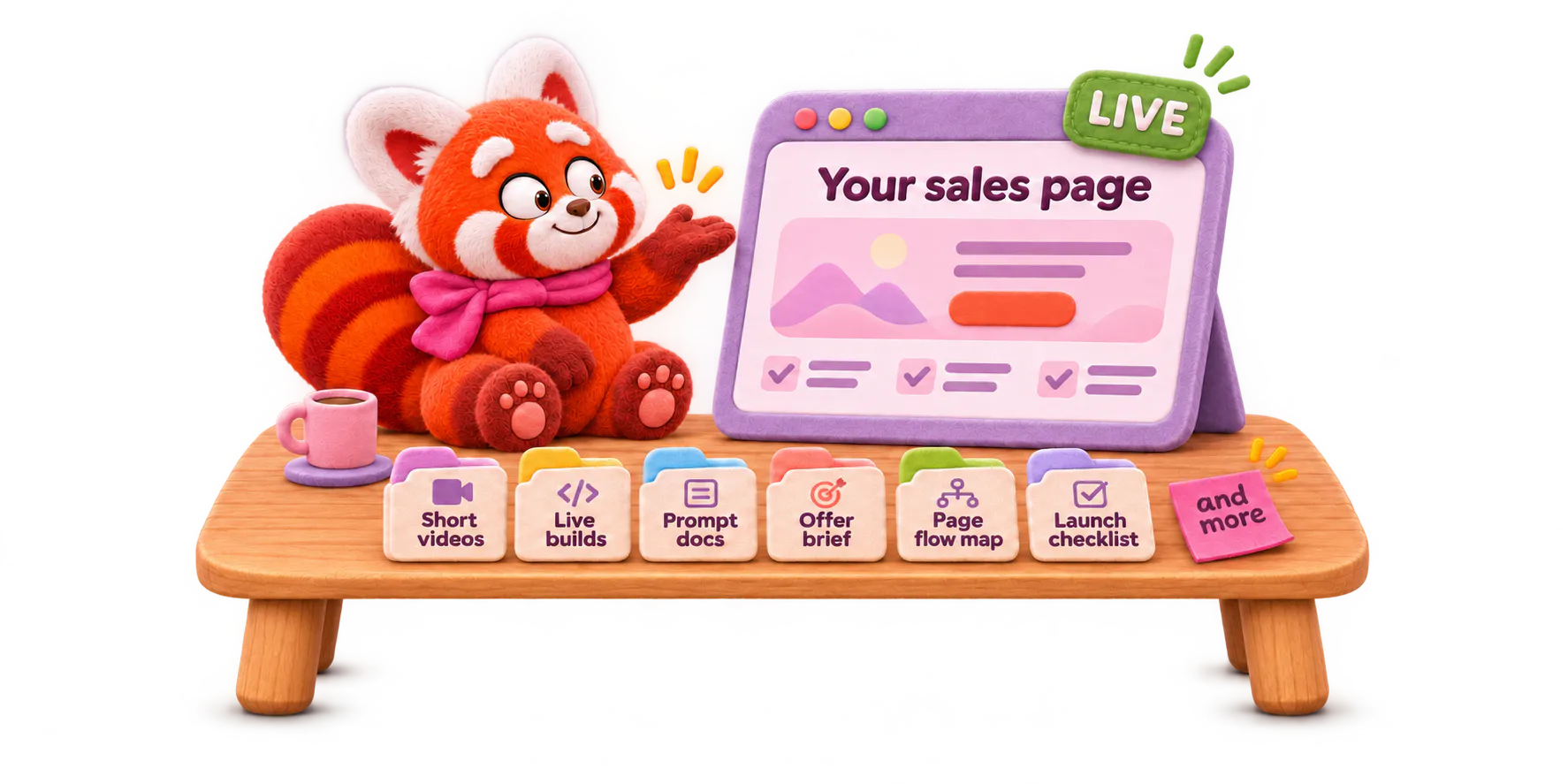
Short video walkthroughs
See what you’re building, why it matters, and what to focus on next.
Live builds
Build alongside me as I work through each step on an example page, then apply it to yours.
Prompt docs for each day
Use them with details from your own offer, audience, and examples.
The full copy for your sales page
Write every section of the page, from the opening headline to the final call to action.
A live page you can send to customers
Publish your page with a working checkout, booking, or enquiry link.
A launch checklist
Check the page on your phone and click through the main button before you share it.
ONE PAYMENT€5Joining the waitlist is free. If you decide to take part, you’ll pay €5 when enrolment opens.
07 / QUESTIONS, ANSWERED
A few things to know
before you join.
ASK THE AWKWARD QUESTIONS ↓01Do I need to know how to code?+
No. I’ll show you what to ask AI for, how to change the page it builds, and how to check that those changes worked. You’ll do each step on your own page as we go.
02Do I need to have sold my offer before?+
No. It can be the first time you’re selling it. Come with one offer you can explain in plain English: who it’s for, what buyers get, and what it costs. We’ll write the full sales page during the challenge.
03Do I need a website already?+
No. The page you build can stand on its own. You’ll have a link to send by email or DM, even if it’s the only page you’ve published.
04What if people need to talk to me before they buy?+
Your main button can open a booking or enquiry link. The page explains your offer, and the button gives people a clear way to take the next step.
05Which AI tool do I need?+
Use whichever AI tool you already know. You’ll need a standard paid plan, usually around $20 a month. You do not need subscriptions to several different tools.
06Is this challenge just for women?+
No. I created it with women running businesses and freelancing in mind, but it isn’t women-only. If you bring a useful offer, good vibes, and a willingness to learn, test, and think for yourself, you’ll fit right in.
07Do I pay €5 when I join the waitlist?+
No. Joining the waitlist is free. I’ll email you when enrolment opens. If you decide to take part, the challenge is a one-time payment of €5.
07 / CLARITY LOG
5 QUESTIONS · 0 HIDDEN CONDITIONSBefore you
commit.
Code required?
No. Basic computer skills and willingness to troubleshoot are required.
Which AI?
We compare subscriptions against your project and budget.
Developer replaced?
No. Complex and sensitive systems still need experienced help.
Two finished builds?
That is the scoped goal, not an unconditional completion guarantee.
Extras required?
No. The €5 challenge is complete on its own.
07 / PRACTICAL QUESTIONS
Know what you’re
joining.
Do I need to code?01
No. You do need to practise testing and troubleshooting.
Which AI should I buy?02
We’ll compare the options against your actual needs.
Will I replace a developer?03
Not for complex, sensitive, or production-scale systems.
Will I finish both builds?04
That is the working goal for the intentionally small exercises.
Do I need the extras?05
No. Your €5 challenge includes the complete core challenge.
YOUR IDEA DOESN’T NEED ANOTHER SAVED TUTORIAL
Build.
The first.
Version.
5 DAYSONE SMALL PROJECT€5 ONCE
Leave with something working and a process you can use again.
FINAL DECISION
READY_STATE: YOURSIdea detected.
Next action: build.
DURATION5 days
OUTPUTpage + micro-app
PAYMENT€5 once
No subscription. No required checkout extras.

GOT 5 DAYS?
What would you build if you trusted yourself to begin?
Bring one offer you’re ready to sell. Leave with a live sales page ready to share.
€5